
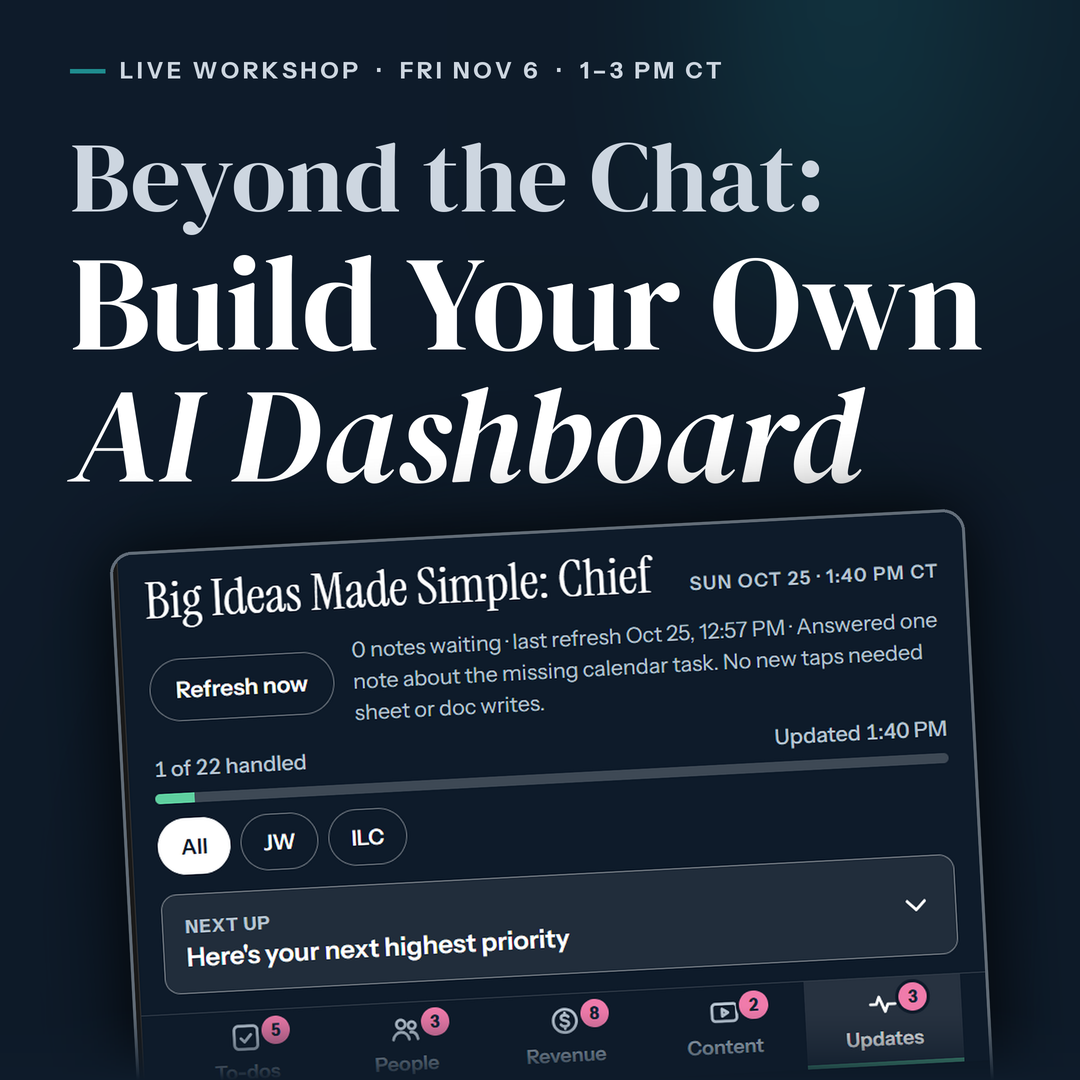
Live Training + Tool Kit
Beyond the Chat:
Build Your Own AI Dashboard
You use AI every day, but everything it helps you with still lives in tabs, inboxes and your head. In two live hours, I’ll show you how to build one screen that pulls it together, so AI does the prep and you make the calls.
Live workshop · Fri, Nov 6 · 1:00 to 3:00 pm CT
Replay included
THE PROBLEM
I have a graveyard of AI chats with brilliant ideas in them that I never found again.
Maybe yours looks different. You’ve got projects, saved prompts and a few things connected. It works. But you’re still the one remembering where everything is, or having to use the search bar every time you can’t find something.
Everyone is talking about agents now. Before you hand AI the keys, you need somewhere to see what it’s doing.
THIS IS FOR YOU IF
You’ve done at least three of these:
Used an AI chat almost every day
Set up a project or custom instructions
Connected AI to your email, calendar or files
Saved a prompt you reuse
Asked AI to do the same thing twice and thought, there has to be a better way
Not there yet? That’s fine, and there’s a better first step below.

WHAT’S INSIDE
Everything we’ll do together, live on the call.
Why we're here
Where chats stop being enough.
You use AI every day, and it helps. But everything it touches still lives in tabs, inboxes and your head. We start with why that happens and what changes when you build one place to see it all.
What we're building
The dashboard I run my own day from.
One screen, rebuilt every morning. AI does the prep. You make the calls. I'll show you what mine looks like and what it pulls in.
The pitfalls
So you don't build something you stop using.
The mistakes that quietly kill a build, and how to dodge them before you start. This is also where we talk about why you want a dashboard before you hand AI more access.
The steps
How to build it in your own setup.
The order I build in, step by step. Demoed in Claude, and the framework works in whichever AI platform you use.
Live demo + Q&A
A lite build, with time to ask.
I'll build a lite version live so you can see it come together. Then it's your turn: bring your questions and your setup.
HOW IT WORKS
Pay, show up, build.
Save your seat and you'll land right on your Zoom registration. Then it's one Friday afternoon.
to check it off
Save your seat
Pay once ($97). You'll go straight to your Zoom registration, so your spot is held.
DoneShow up live
Friday, Nov 6, 1:00 to 3:00 pm CT. Can't make it? The replay is included.
DoneBuild yours
Take the build guide, the demo prompts and the pitfalls checklist, and finish your dashboard at your own pace.
Done
TAKE HOME
You leave with more than a recording.
So you can finish building at your own pace, after the call ends.
Step-by-step build guide
The order I build in, written out so you can follow it on your own.
The demo prompts
The prompts from the live build, ready to copy and adapt to your own setup.
Pitfalls checklist
What to check before you build, and before you give AI more access.
Plus the replay, included with your seat.
Why me
I run my own day from a dashboard Claude rebuilds every morning. It drafts. I decide.
I'm demoing in Claude. The framework works in whichever AI platform you use.

What's at stake
Build the dashboard before you hand over the keys.
Keys first
You can't see what it did or why.
Hand AI more access before you have somewhere to watch it work, and you're guessing.
Dashboard first
One screen. You make the decisions.
AI does the prep. You see what it pulled together, and you decide what happens next.
Questions
Quick answers.
Do I need to use Claude?
I'm demoing in Claude. The framework works in ChatGPT, Gemini and whichever AI platform you use.
What if I can't make it live?
The replay is included with your seat.
Is this for total beginners?
No. It's for people who already use AI chats or projects. If you're not there yet, start with the free guide above.
How do I get the Zoom link?
After you pay, you'll land on the Zoom registration page. Register there and Zoom will email you the link.
Not ready yet?
Get organized in your AI first.
Start with the free ChatGPT/Claude breakup guide. It helps you tidy up the AI you already use, before you try to do more.
Free. Come back when you're ready to build.
Get the free guide